![base_logo_transparent_background.png]](https://support.labl.it/hs-fs/hubfs/base_logo_transparent_background.png?height=50&name=base_logo_transparent_background.png)
You can now create structured prep guides for all your kitchen items.
This feature provides a clear, step‑by‑step way to show new or temporary staff how to prepare any specific food item, helping you standardise processes and reduce training time.
Prep guides can be set up either directly on the device or through the back office, and are intentionally designed to be quick to build and easy to follow.
You can also add visual guidance by uploading your own photos for each step in the back office, or by taking photos directly on the device.
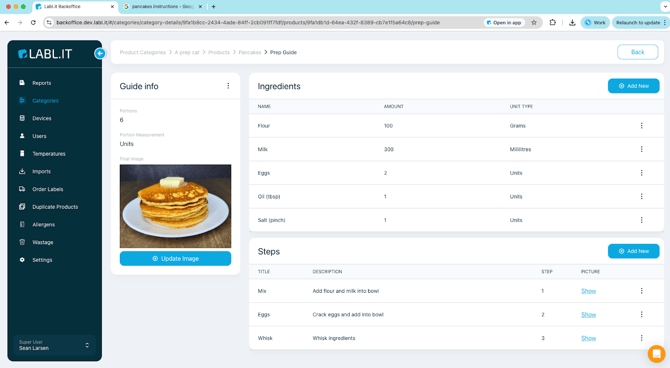
Also built into the feature is automated batch sizing, a super helpful feature that automatically calculates quantities of ingredients required when you want to create multiple batches.
For a quick overview of the feature see the below video: